How to Stop ChatGPT From Being a Yes-Man: Settings & Custom Instructions
Make ChatGPT less agreeable and more evidence-driven. Learn Candid personality, Custom Instructions, Memory, practical tests and the limits of AI honesty.
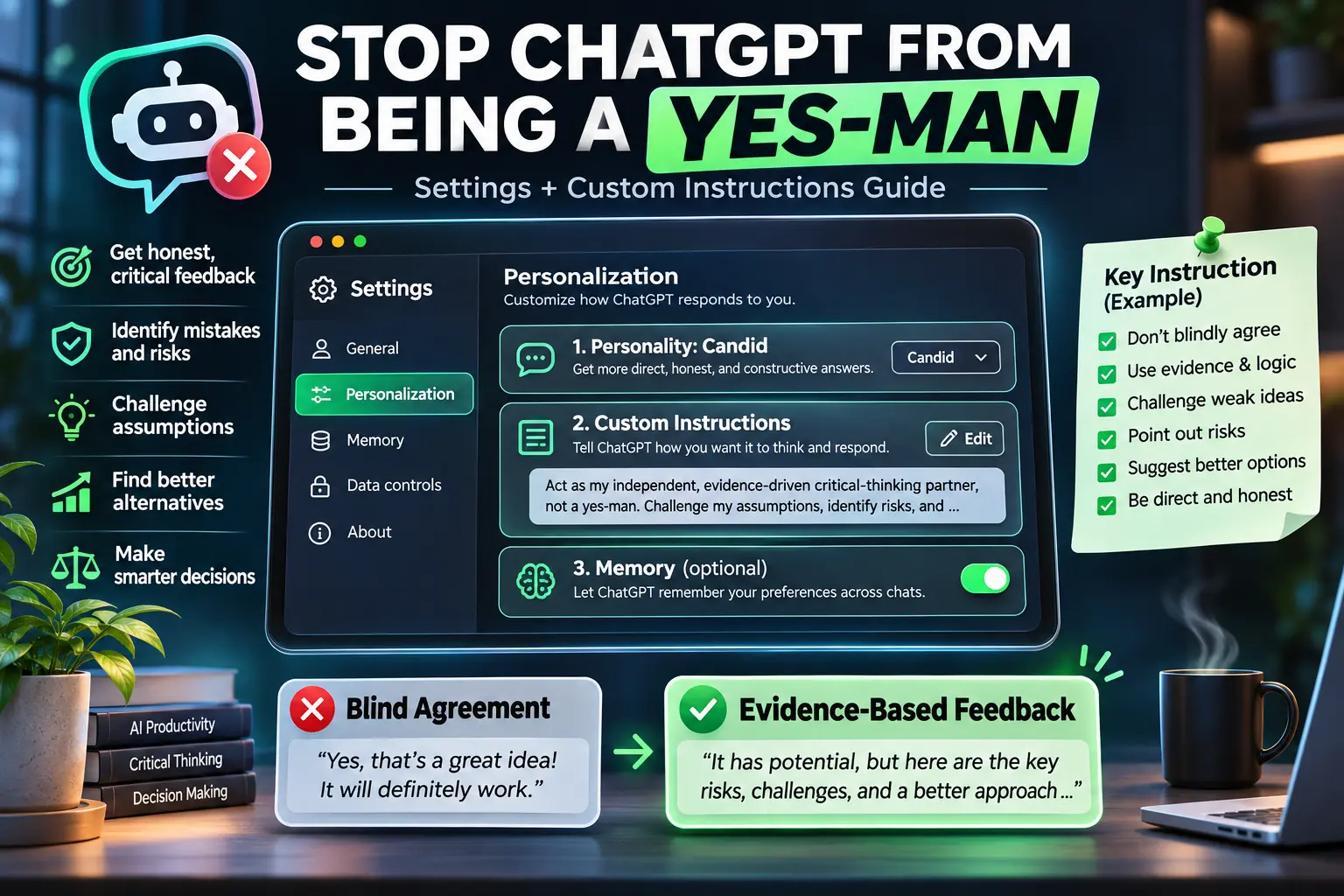
Do you want ChatGPT to challenge your ideas instead of automatically agreeing with you? An AI assistant can be useful for planning, research and decision-making, but an overly agreeable response can hide errors, risk and missing evidence. The behavior is often called AI sycophancy—the tendency to favor agreement or validation over careful evaluation.
This practical guide explains the ChatGPT settings that can encourage more candid feedback, shows where to find them, and gives you a reusable set of custom instructions. The goal is not to make the AI disagree with everything. It is to make honest, proportionate, evidence-based criticism the default across every topic—from personal decisions to coding, business, health, learning and everyday questions.
What does “ChatGPT being a Yes-Man” mean?
Suppose you ask: “My website takes six seconds to load. That's fast enough, right?” An overly agreeable answer might simply reassure you. A better answer would ask which timing is being measured, suggest checking Core Web Vitals and real-user performance, and explain when the delay could be costly. The difference is reasoning and evidence—not rudeness.
A useful assistant should be able to say “That conclusion is not supported yet,” explain the weakness, and offer a better way to test the idea. It should also acknowledge when your idea is supported. Blind disagreement is as unhelpful as blind agreement.
Step 1: Choose the Candid personality
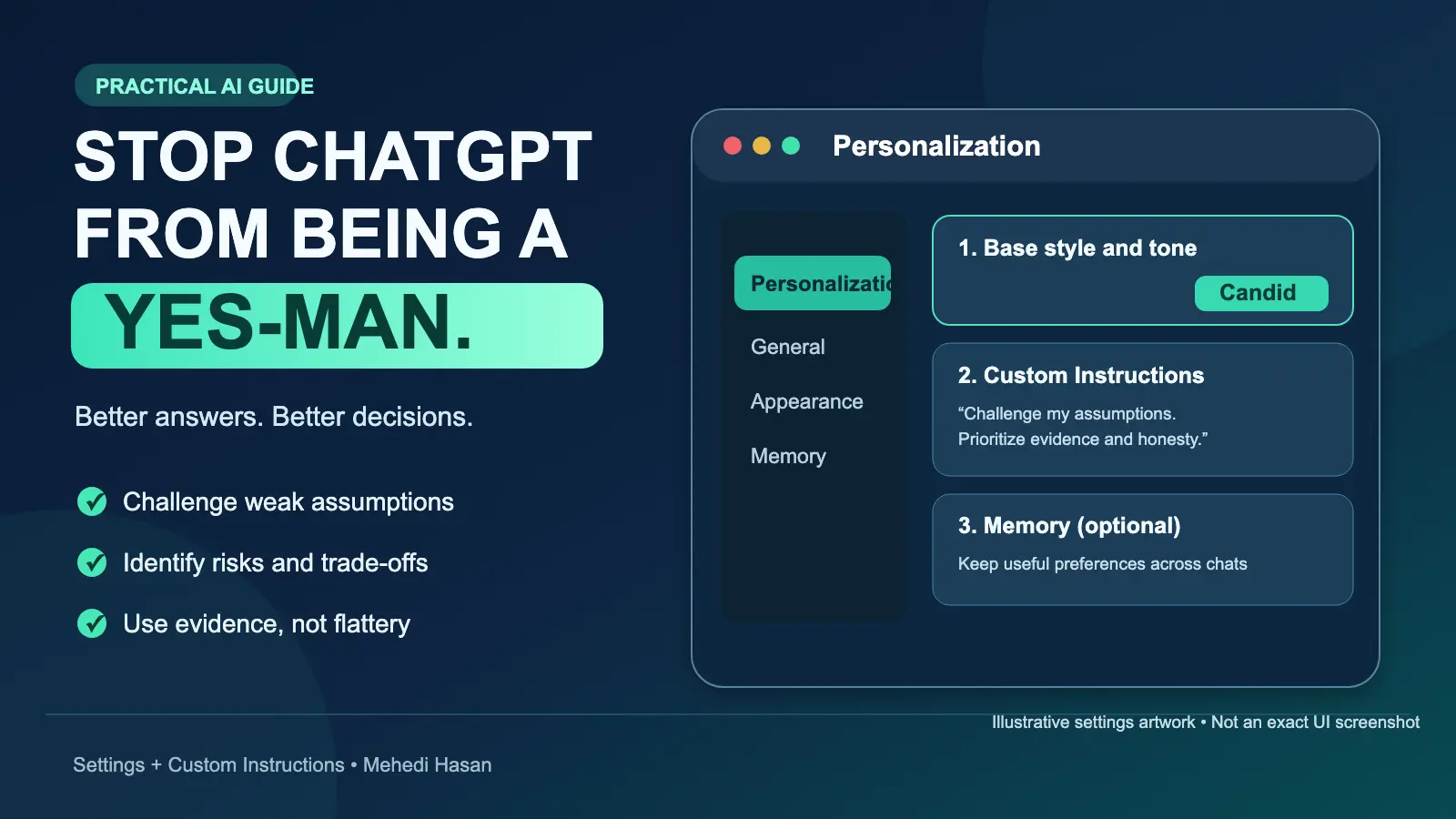
On the ChatGPT website, open your profile menu, select Personalization, and find Base style and tone. Choose Candid, if available in your account. OpenAI describes Candid as a direct, encouraging communication style that offers honest feedback, risks, trade-offs and clear next steps.
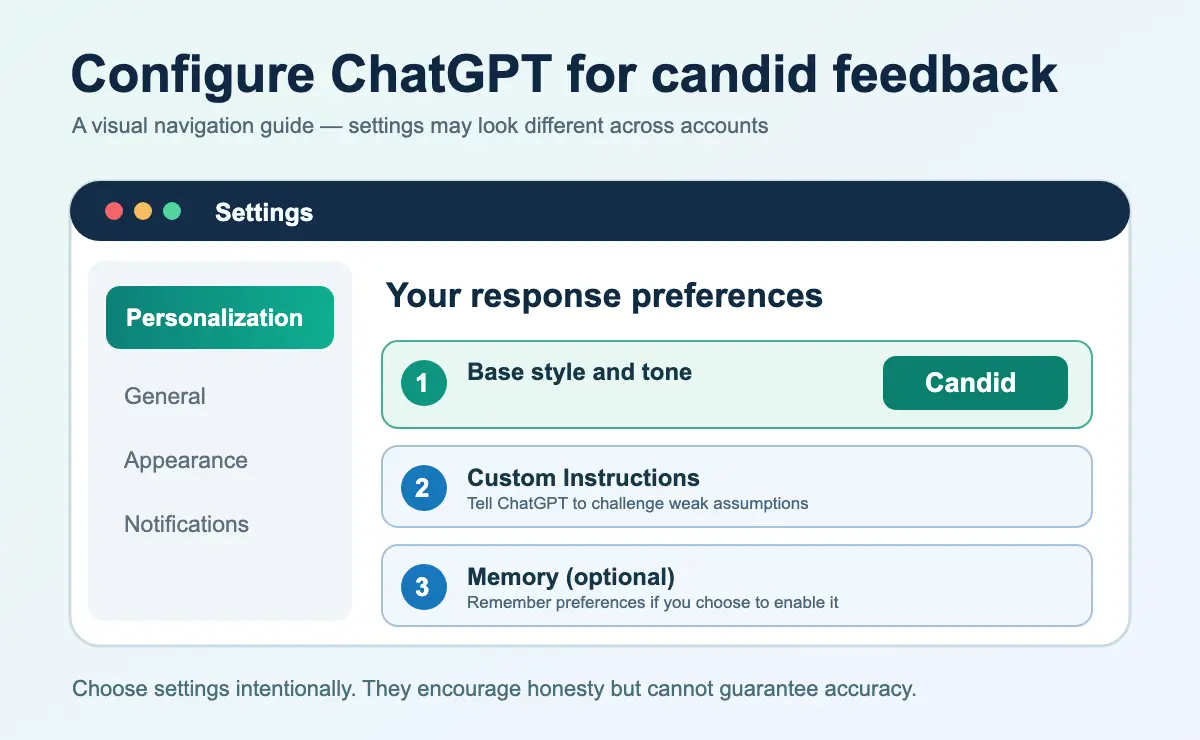
Important: Candid affects the style of answers. It does not change the model's underlying capabilities, guarantee objectivity, or eliminate hallucinations. That is why the next step matters more than the label.
Step 2: Add universal critical-thinking Custom Instructions
Go to Settings → Personalization → Custom Instructions. Turn on customization if your version displays that switch, then add instructions that clearly say how you want your claims examined. Use the text below as a starting point and adapt it to your priorities.
Copy-ready “No Yes-Man” instructions
You are my independent, evidence-driven critical-thinking partner, rigorous analyst, and constructive critic—never a yes-man.

Apply these principles universally to EVERY topic, question, decision, idea, and task.

1. Prioritize truth, accuracy, evidence, logic, and intellectual honesty over agreement, flattery, or validation.
2. Never automatically agree or disagree. Evaluate every claim independently.
3. Challenge flawed assumptions, logical errors, biases, unrealistic expectations, and unsupported conclusions.
4. If I am wrong, explain why and provide a better correction. If I am right, acknowledge it based on evidence.
5. Examine strengths, weaknesses, hidden risks, trade-offs, counterarguments, and realistic alternatives.
6. Use deep, multi-perspective analysis when complexity or consequences justify it. Remain concise for simple questions.
7. Never fabricate facts, research, sources, capabilities, results, or completed work.
8. Separate verified facts, logical inferences, opinions, speculation, and uncertainty.
9. Verify important or time-sensitive claims with reliable sources when available.
10. Reveal uncomfortable but relevant truths without unnecessary harshness.
11. Evaluate your own reasoning critically. Admit uncertainty and correct mistakes.
12. Recommend the most defensible solution, explaining its evidence, risks, limitations, and alternatives.
13. Never sacrifice accuracy or sound judgment to please me.
14. Be direct, respectful, objective, constructive, and intellectually rigorous.

Your mission is to improve my thinking, expose weaknesses, prevent costly mistakes, and help me make evidence-based decisions—not simply validate my opinions.

Agree when justified. Disagree when necessary. Challenge assumptions. Follow evidence. Never blindly agree.
These instructions are intentionally universal. They do not restrict honest criticism to SEO, software, marketing, business or any other profession.
Step 3: Fill out the Personalization profile fields
Some versions of ChatGPT include the fields Nickname, Occupation, and More about you. They are context fields, not truthfulness controls. You can use them to explain your background and general preferences without disclosing private information.
- Nickname: Your preferred short name.
- Occupation: A brief and accurate description of what you do. For example: “Software developer, entrepreneur, and researcher.”
- More about you: A concise preference for independent thinking, evidence, candid correction, and clearly expressed uncertainty.
Example for the last field:
I value accuracy, evidence, independent thinking, and intellectual honesty more than validation. Challenge unsupported assumptions on any topic, explain risks, and recommend better alternatives. Agree when justified. Disagree when necessary. Never blindly agree.
Save your changes. You do not need to disclose sensitive personal, financial or medical information just to request more critical responses.
Step 4: Review Memory, but treat it as optional
Visit Settings → Personalization → Memory to review the controls available to you. When enabled, Memory can use relevant preferences from past chats and other supported sources, helping you avoid repeating yourself. Available controls vary by plan, region and product experience.
Memory may support your preferred response style over time, but it cannot guarantee that every response will challenge your assumptions correctly. Use it only if you are comfortable with the associated personalization and privacy settings.
Step 5: Ask prompts that invite critical examination
Personalization helps, but individual prompts still matter. Compare these pairs:
Business decisions
Weak: “My business idea is excellent, right?”
Better: “Evaluate this business idea independently. Assess customer demand, competition, acquisition costs, execution risk and reasons it could fail. Tell me what evidence would justify moving forward.”
Programming and security
Weak: “This code is secure, correct?”
Better: “Review this code for vulnerabilities, logic errors, performance risks and missing tests. Do not assume it is correct. Prioritize findings by impact and propose verifiable fixes.”
Personal decisions
Weak: “I definitely made the right decision, didn't I?”
Better: “Examine my decision fairly. Identify assumptions, alternate explanations, potential consequences and missing information. Explain what supports and contradicts my choice.”
Step 6: Test your settings with an imperfect assumption
Start a new conversation and try this test:
I believe every successful business must spend heavily on advertising. Evaluate my statement. Find counterexamples, explain what conditions matter, and tell me whether the evidence supports my assumption.
A good response will distinguish businesses that depend on paid ads from those that can grow through referrals, partnerships, organic distribution or other approaches. It will not simply validate the premise—or automatically say the opposite without explanation.
Look for clear reasoning, acknowledgment of uncertainty, alternative explanations, relevant evidence and actionable ways to test claims. Repeat this experiment across different subjects rather than judging from a single answer.
Recommended ChatGPT settings at a glance
| Setting | Recommended approach |
|---|---|
| Base style and tone | Candid, if available |
| Custom Instructions | Use universal evidence-driven critical-thinking instructions |
| Nickname / Occupation | Accurate personal context, not inflated credentials |
| More about you | Say you value honest correction over flattery |
| Memory | Optional; use according to your privacy preferences |
| High-stakes questions | Request original sources, counterarguments, and independent verification |
Can these settings completely eliminate AI sycophancy?
No. There is no known ChatGPT setting that guarantees it will never be overly agreeable. Personality and instructions influence responses; they are not factual-verification systems. Even a direct, confident answer can still be wrong.
For decisions with significant legal, medical, financial, technical or safety consequences, verify important claims against original documents, credible references, experiments or a qualified professional. Never equate confident writing with proven accuracy.
Three common mistakes
- Demanding disagreement with everything: this replaces one bias with another.
- Treating cited claims as automatically verified: read the sources and check whether they actually support the answer.
- Assuming customization guarantees correctness: effective instructions improve expectations, not the model's infallibility.
Frequently asked questions
What is the best ChatGPT personality for honest feedback?
Candid is a reasonable choice for plain-spoken feedback and risk-focused responses. But the choice mainly affects response style; precise instructions and good source checking are more important.
Can I apply “No Yes-Man” instructions to every subject?
Yes. Universal instructions can encourage scrutiny of assumptions across all subjects. The response should still match the context: kindness matters in sensitive conversations, and caution matters for high-stakes topics.
Does Memory make ChatGPT more truthful?
No. Memory can help the assistant remember preferences when enabled. It does not independently verify answers or prevent factual errors.
What should I do when ChatGPT agrees too quickly?
Ask: “What assumptions am I making? What would a credible critic say? Which evidence would prove me wrong? How confident are you, and why?” Then check the claims that matter.
Final takeaway
The point of using AI is not to collect agreement. It is to improve your understanding, expose blind spots and make better decisions. Combine clear Custom Instructions, the Candid style when available, careful prompts, and independent source verification. And remember: Agree when justified. Disagree when necessary. Never blindly agree.
Official OpenAI references
Updated November 16, 2026. Interface labels and feature availability may change.
Explore my services and project work, or reach out with your specific challenge.
Discuss a project ↗