Local AI Explained: Models, Hardware, Tools, Costs & Setup Guide
Understand how local AI works, which models and tools to choose, hardware requirements, real costs, privacy, RAG, and how to run your first model.
What Is Local AI? A Clear Definition
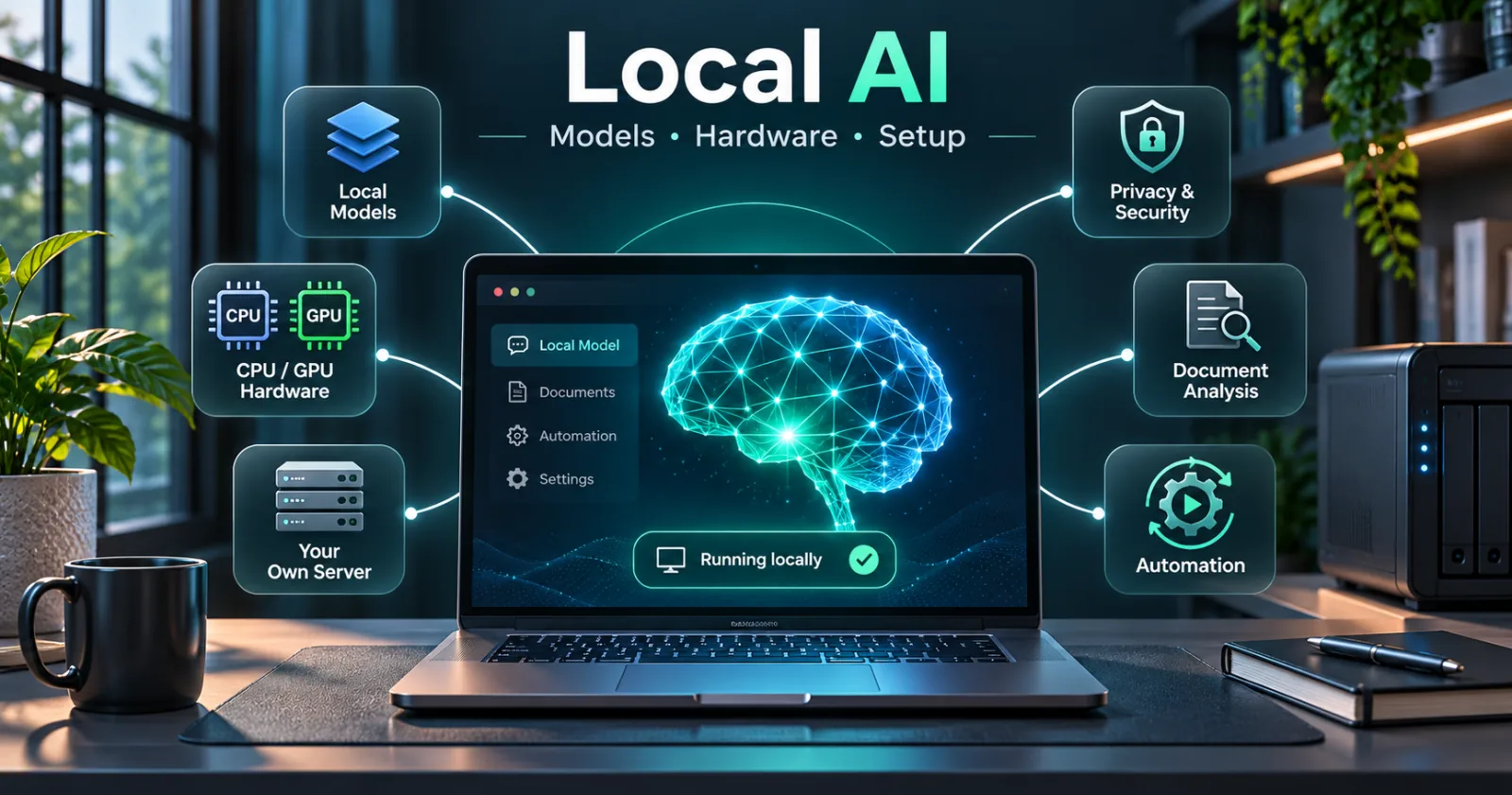
Local AI refers to artificial intelligence models that run on hardware you control instead of requiring every inference request to be processed by a third-party cloud service. The hardware might be a laptop, desktop, workstation, small home server, or dedicated GPU machine. When you rent a VPS or dedicated server and install the model yourself, the more precise term is self-hosted AI: you control the deployment, even though the computer is located in a data center.
For example, a writer could run a small language model on a laptop to summarize notes; a developer could use a private coding assistant; or a company could host an internal question-answering system over its own policy documents. In all three cases, the model performs the inference where it is deployed.
The important distinction: Local AI is not necessarily offline, free, anonymous, unlimited, or better than cloud AI. Those properties depend on how the system is configured, which tools it connects to, and how much compute is available.
How Does Local AI Work?
A local AI assistant typically follows six steps:
- Input: A person sends a message, file, image, or audio recording through an app.
- Tokenization: A tokenizer converts supported text into numerical tokens that the model can process.
- Context preparation: The application combines the user's request with relevant instructions, conversation history, and—when configured—retrieved documents.
- Inference: The model uses its learned parameters (weights) and available CPU, GPU, RAM, or VRAM to produce an output. Autoregressive language models commonly generate tokens one after another.
- Optional tools: The application may call a document search, database query, calculator, or approved software function, then return results to the model.
- Response: The interface displays text, structured JSON, code, or another supported output.
A simplified architecture looks like this:
User / App / Website
        |
        v
Authentication + Application Backend
        |
        v
Prompt + Relevant Context
        |
        v
Inference Runtime (Ollama / llama.cpp / vLLM)
        |
        v
Downloaded Model + CPU/GPU Memory
        |
        v
Model Response -> Application Validation -> User
The model does not automatically know your current inventory, order history, documents, or breaking news. It only sees what is in its training and the context you provide. A reliable business application must fetch current facts from trusted systems.
Local AI vs. Cloud AI vs. Self-Hosted AI
Local on-device AI runs on a user's physical device. This is useful for private experimentation, offline work, and individual productivity.
Self-hosted AI runs on a machine or infrastructure that an individual or organization manages. A cloud GPU rental can still be self-hosted if you operate the model and control the application. It is not, however, physically local to your laptop.
Managed cloud AI uses a provider's hosted models and APIs. It reduces infrastructure work and gives access to powerful models, although it may involve request-based pricing, rate limits, and provider-specific data handling.
A hybrid approach uses a local model for routine tasks and a cloud model for difficult or time-sensitive tasks. Many production systems benefit from this flexibility.
Choose based on the actual job, not on the assumption that one deployment model is always superior.
What Can You Do With Local AI?
Writing, research, and everyday productivity
- Summarize meeting notes and long documents.
- Draft, outline, translate, rewrite, and classify text.
- Organize notes into topics and produce study guides.
- Extract structured fields from emails or forms.
- Brainstorm ideas without sending every draft to a third-party model.
These jobs are excellent starting points, but factual claims should still be verified.
Programming and software development
- Explain functions, errors, logs, and unfamiliar code.
- Suggest unit tests and refactoring opportunities.
- Generate SQL queries, scripts, API examples, and documentation.
- Search and discuss code from a repository when you grant tool access.
- Review patches before a human merges or deploys them.
A small local model may help with straightforward code. Advanced multi-file reasoning and large repositories often require a stronger model, more context, and careful testing. AI-generated code should never bypass normal code review.
Business and customer service
- Build a customer-service chatbot using approved company information.
- Answer questions from product manuals, FAQs, and support policies.
- Classify incoming support tickets or route them to teams.
- Create product descriptions and marketing drafts from verified catalog data.
- Summarize internal reports or explain approved metrics.
For order status, refunds, inventory, and prices, the application must query authorized live business data. The language model should explain the result, not invent it.
Education and accessibility
Local models can help teachers prepare exercises, help learners practice concepts, and transform permitted material into easier reading formats. Speech-to-text and text-to-speech models can support accessibility. Automated answers still require oversight, especially for assessment and sensitive advice.
Audio, images, and video
Local AI also includes specialized systems beyond chatbots:
- Speech recognition: Transcribe audio or prepare subtitle drafts using Whisper-family tools.
- Text-to-speech: Generate synthetic narration with a suitable locally deployable speech model.
- Vision: Describe images, identify objects, or extract information with vision-language models.
- Image generation: Create illustrations and concept art using compatible generative image models.
- Video workflows: Combine transcription, scene recognition, captioning, object tracking, and FFmpeg-based processing.
These tasks have different performance requirements. Video generation and high-resolution image generation can require substantially more compute than ordinary text chat.
The Technology Stack: What Each Component Does
A useful way to understand local AI is to separate the layers.
- Model: The trained network that generates or analyzes content. Examples include Qwen, Gemma, Llama, and GPT-OSS families.
- Inference runtime: Software that loads the model and serves predictions. Examples: Ollama, llama.cpp, and vLLM.
- Hardware acceleration: CPU instructions or GPU systems such as NVIDIA CUDA, Apple Metal, and supported AMD ROCm stacks.
- User interface: A chat application or dashboard such as LM Studio or Open WebUI.
- Application backend: PHP, Python, Node.js, or another service that controls requests and business logic.
- Embeddings and retrieval: Technologies that find relevant pieces of documents for grounded answers.
- Database: PostgreSQL, SQLite, or a vector-aware system such as pgvector or Qdrant.
- Automation tools: Carefully scoped APIs, workflows, queues, schedulers, and agent frameworks.
- Operations: Authentication, monitoring, backups, security updates, and access controls.
For a beginner using a single laptop, only a runtime, a model, and an interface may be necessary. Everything else is added when a real use case requires it.
Models Explained: Parameters, Context, Tokens, and Quantization
What does 4B or 8B mean?
A 4B model has roughly four billion learned parameters; an 8B model has roughly eight billion. A higher parameter count often increases capacity but does not guarantee better results. Training quality, architecture, instruction tuning, data, and the particular task matter.
Some model families also use mixture-of-experts (MoE) architectures. Total parameters and parameters activated per token can differ, so simple size comparisons are not always meaningful.
What is the context window?
The context window is the number of tokens a model can consider during an inference request. It includes instructions, conversation messages, retrieved text, and often tool results. More context can improve long-document tasks but consumes more memory and processing time.
Do not confuse a model's advertised maximum context with the amount your runtime actually allocates. Some runtimes use a smaller default to conserve memory.
What is quantization?
Quantization stores weights at reduced numerical precision, often dramatically lowering memory needs. A quantized model may be easier to run on consumer hardware, but quality and speed can change depending on the model and method.
A downloadable model file of 4 GB does not mean it will use exactly 4 GB of RAM. The runtime also needs memory for context, caches, buffers, operating-system processes, and sometimes vision or audio components.
Training, fine-tuning, and inference are different
Inference means using an existing trained model to generate a response. Fine-tuning means adapting an existing model using additional training. Training from scratch means developing weights with a much larger training effort. Most beginners and small businesses only need inference, prompt design, retrieval, and application integration—not custom training.
Which Local AI Models Should You Try?
There is no universal winner. Start with a model that fits your computer and the exact tasks you care about.
- Qwen 3.5: A multimodal family with small and larger variants; a practical option for experimentation, general assistants, and some coding or vision tasks.
- Gemma 4: A model family worth evaluating for reasoning, coding, multimodal understanding, and agent workflows, subject to the chosen variant.
- GPT-OSS: Open-weight reasoning models suitable for technically capable deployments with sufficient memory.
- Llama-family models: Widely supported across local runtimes; review the specific release and its license.
- Specialized coding, embedding, transcription, or image models: Often preferable to a general chatbot for narrowly defined tasks.
For example, Ollama currently lists the Qwen 3.5 4B model as a downloadable option. Its approximate download size is 4 GB for that listed package; actual runtime memory usage is higher and depends on configuration.
Official model catalogs change quickly. Check the Ollama model library, Qwen 3.5 model listing, Gemma 4 listing, and GPT-OSS listing rather than relying on a permanent “best model” list.
Practical test: Give every candidate model the same 20–50 representative tasks. Measure accuracy, hallucinations, latency, RAM/VRAM use, and failures. The best model for your project is the one that performs well on your data and fits your budget.
How Much RAM, GPU, and Storage Do You Need?
Hardware needs vary by model format, quantization, context length, batch size, and number of simultaneous users. The following are planning ranges, not guaranteed compatibility specifications.
- 8 GB system RAM: Best suited to small quantized text models and lightweight experiments. Leave memory for the operating system.
- 16 GB system RAM: A common starting point for small-to-medium quantized models and individual use, with careful context settings.
- 32 GB system RAM: More headroom for larger quantized models, multitasking, and longer context.
- 64 GB or more: Useful for ambitious CPU/unified-memory deployments and running more services, although GPU throughput still matters.
- 8 GB GPU VRAM: Often useful for smaller quantized models, depending on format and runtime.
- 16 GB GPU VRAM: Offers more flexibility for medium-size models.
- 24 GB or more GPU VRAM: Expands the range of larger models and inference configurations, but does not make every model or workload fit.
- Dedicated multi-GPU systems: Relevant for large models and high-concurrency production services.
An Apple Silicon Mac uses unified memory shared by CPU and GPU. That can make some configurations convenient, but the total is still shared with the OS and other applications. An Intel Mac or CPU-only computer can run certain models, generally with lower throughput.
Also budget disk space for downloaded weights, multiple model variants, runtime caches, documents, logs, and backups. For a serious local AI workstation, spare storage matters almost as much as the initial model download.
Before buying a GPU, consult the Ollama hardware compatibility guide and the runtime's support matrix for your operating system.
Best Local AI Software for Beginners and Developers
Ollama: a straightforward model runtime
Ollama supports local model downloads and local API usage across major operating systems. It is an approachable choice for people who want to run a model from the terminal or connect a custom app. Note that Ollama also offers cloud models: choosing a cloud model is not the same as running inference locally.
Ollama quickstart and local API reference.
LM Studio: a visual desktop approach
LM Studio provides a graphical interface for finding, loading, and testing supported local models. It is useful for experimenting without building an application first. Consult its system requirements and supported hardware; current macOS support centers on Apple Silicon.
Open WebUI: a browser-based interface
Open WebUI is a self-hostable chat interface that can connect to Ollama and OpenAI-compatible backends. It adds a familiar multi-conversation experience and can support knowledge-oriented workflows.
llama.cpp: low-level and efficient local inference
llama.cpp is a widely used C/C++ inference project with flexible deployment and quantized model support. It is valuable for developers who want control over low-level execution.
vLLM: serving models for applications
vLLM focuses on efficient model serving, including API-based workloads and throughput-oriented deployments. It is especially relevant when you have compatible compute and multiple requests to handle.
Simple decision rule: Try LM Studio for a desktop interface, Ollama for a developer-friendly local API, Open WebUI for a hosted chat front end, and vLLM when production serving requirements justify it.
Step-by-Step: Run Your First Local AI Model
This tutorial uses Ollama and a downloadable Qwen 3.5 4B model. Verify your computer has sufficient free memory and storage first. Model downloads require internet access.
Step 1: Install Ollama
Download the installer for Windows, macOS, or Linux from the official download page. On Linux, the official installation documentation also provides the following command; review any downloaded script before running it on an important machine.
curl -fsSL https://ollama.com/install.sh | shOn Windows or macOS, using the official installer is a simple starting point.
Step 2: Start a downloadable local model
Open Terminal or PowerShell and enter:
ollama run qwen3.5:4bThe first run downloads the model. Later uses can generally load it from local storage. Type a question such as: “Explain how DNS works to a beginner.”
To check the models already available on your machine:
ollama listTo inspect loaded models and memory information where supported:
ollama psStep 3: Call the local API
Ollama's local API commonly listens on 127.0.0.1:11434. Test it from a terminal:
curl http://localhost:11434/api/chat \
  -H "Content-Type: application/json" \
  -d '{
    "model": "qwen3.5:4b",
    "messages": [
      {"role": "user", "content": "Explain DNS in three sentences."}
    ],
    "stream": false
  }'
This example uses the local server and a locally downloaded model, not the cloud API endpoint. The official documentation distinguishes the local API from cloud access.
Step 4: Connect a Python application
The following small example uses the Python standard library and assumes the local model is already available:
import json
from urllib.request import Request, urlopen

payload = {
    "model": "qwen3.5:4b",
    "messages": [
        {"role": "user", "content": "Give three safe backup practices."}
    ],
    "stream": False
}

request = Request(
    "http://127.0.0.1:11434/api/chat",
    data=json.dumps(payload).encode("utf-8"),
    headers={"Content-Type": "application/json"},
    method="POST"
)

with urlopen(request, timeout=120) as response:
    result = json.load(response)

print(result["message"]["content"])
This is a learning example. Production applications need authentication, input validation, timeouts, retries where appropriate, structured error handling, request limits, and logging rules.
Step 5: Keep your deployment private
Do not expose an inference service directly to the public internet. Put authentication, rate limiting, and an approved application layer in front of it. Restrict network access, keep software updated, and avoid mounting sensitive files into untrusted tools.
What Is RAG, and Why Is It Useful?
Retrieval-Augmented Generation (RAG) helps an AI application answer questions using information retrieved from a document collection or another trusted source.
A typical process is:
- Ingest approved documents and split them into meaningful chunks.
- Convert chunks into embeddings using a suitable embedding model.
- Store those embeddings and their source references in a searchable index.
- Embed the user's question and retrieve relevant document passages.
- Give retrieved passages to the language model as context.
- Generate an answer with references and uncertainty where necessary.
Company Documents
       |
   Chunk + Embed
       |
   Vector Index
       |
User Question -> Retrieve Relevant Passages
       |
       v
Local LLM -> Grounded Answer + Sources
RAG is often more appropriate than fine-tuning for changing manuals, policies, FAQs, and catalogs. However, retrieving documents does not guarantee the answer will be correct. Access control, document freshness, retrieval quality, and citations still matter.
Common tools include pgvector for PostgreSQL, Qdrant, Chroma, and suitable embedding models. Choose based on scale, operational needs, and the languages present in your documents.
Building a Local AI Chatbot for a Website
A useful website chatbot needs more than a model.
Frontend: A chat window in the website.
Backend: A server endpoint that authenticates users, enforces request limits, and filters or validates actions.
Model runtime: Ollama or another inference service.
Knowledge source: Approved FAQs, product records, or retrieved documents.
Business integrations: Carefully scoped tools for order lookups, appointment availability, and similar tasks.
Observability: Request metrics, errors, latency, user feedback, and safe audit logs.
A safe order-status example works like this: an authenticated customer asks where an order is; the backend verifies ownership, requests a limited order-status record, and passes only necessary fields to the model. The model then explains the result. It does not receive administrator-level database access.
For a production rollout, define fallback behavior when the model is unavailable. A support chatbot should offer standard contact channels instead of inventing answers.
Local AI Agents: What They Can and Cannot Do
An AI agent combines a model with tools and a workflow. A model may propose an action, but a connected tool performs it.
An agent might classify customer inquiries, retrieve files, run a read-only website check, or draft a support response. More advanced agents can perform multistep work when the environment provides reliable tools and appropriate permissions.
Useful technologies include Python or Node.js, task queues, workflow automation software, a database, tool schemas, and an inference runtime. For browser-driven workflows, an authorized browser automation layer may be necessary.
Recommended safety pattern: Read-only analysis first, then a proposed change, automated testing in staging, a rollback plan, and human approval for publishing, financial transactions, destructive operations, or production deployment.
AI output should not be treated as proof that an external action succeeded. The application must verify the result.
Privacy, Security, and Licenses: The Essential Checklist
Running a model on your own device can improve control over your data, but privacy depends on the whole application.
- Confirm whether the selected model is downloaded locally or is actually served in the cloud.
- Check whether optional features send diagnostics, prompts, files, or search requests to third parties.
- Disable unnecessary external integrations when working with confidential material.
- Protect documents, embeddings, backups, model output, and application logs.
- Use encrypted connections for any network access to a self-hosted service.
- Add authentication, roles, rate limits, network isolation, and resource quotas.
- Treat documents and retrieved web content as untrusted: prompt injection can affect tools and agents.
- Scan uploaded files and restrict what an AI-enabled process can execute.
- Read the specific model license before commercial use, redistribution, or hosted deployment.
Open-weight is not automatically open-source. Downloadable weights do not guarantee that training data, training code, license rights, or redistribution permissions are fully open.
Local AI also does not eliminate hallucinations, bias, insecure generated code, or privacy risks introduced by your own application design.
Does Local AI Save Money? Calculate Total Cost
Local inference usually avoids the per-request fee of a separately hosted model API, but that does not make it free.
Consider these costs:
- Hardware purchase or GPU server rental.
- Electricity, cooling, and depreciation.
- Maintenance, model upgrades, and engineering time.
- Storage, bandwidth, backups, and monitoring.
- Availability and redundancy for customer-facing services.
- Cost of errors and human review.
A simple monthly comparison is:
Local AI monthly cost =
hardware amortization + electricity + hosting +
storage + maintenance + operations

Cloud AI monthly cost =
input token charges + output token charges +
other provider / tool charges
For example, suppose a dedicated AI machine costs $1,200 and is used for 36 months. Its basic amortization is about $33.33 per month, before electricity, maintenance, and any other expenses. This is a mathematical example, not a hardware recommendation or current market quote.
A low-usage personal project may be cheaper with a cloud API. A consistently busy workload with many repeatable jobs may justify local infrastructure. Benchmark both options with the same workload before making a purchasing decision.
Performance: How to Measure Local AI Correctly
Model download size alone says little about user experience. Track:
- Time to first token: How long a user waits before a response begins.
- Tokens per second: How quickly the response is generated.
- End-to-end latency: Total time, including retrieval and tool calls.
- Memory consumption: RAM, VRAM, and context-cache usage.
- Accuracy and groundedness: Whether responses match verified answers.
- Concurrency: How performance changes when multiple people use it.
- Reliability: Errors, timeouts, failed tool calls, and recovery behavior.
Test common, difficult, and adversarial examples. Compare quality using a fixed evaluation dataset rather than a handful of impressive demonstrations.
If a system becomes slow, try a smaller model, a more appropriate quantization, shorter context, reduced concurrency, or better GPU support before buying expensive hardware.
Common Problems and How to Fix Them
The model is extremely slow
Check whether GPU acceleration is active. Verify the model fits available memory and is not constantly moving data between RAM and storage. A smaller quantized model may be a better choice.
The model is producing incorrect answers
Provide reliable context, clarify the task, use retrieval for changing facts, and verify results. A larger model can help, but it will not remove all errors.
The computer freezes or runs out of memory
Close unnecessary applications, shorten the context, reduce concurrent requests, or select a smaller model. Avoid assuming that a model's disk size equals its runtime memory requirement.
A chatbot invents business facts
Never let the model guess live inventory, order status, delivery dates, prices, or policy terms. Retrieve the information from the authoritative system and validate the response.
The application cannot connect to Ollama
Check that the local service is running, confirm the host and port, and ensure the caller is on the right machine or authorized network. Do not solve connection problems by exposing the inference API publicly without access controls.
Can local AI access the internet?
Only if the surrounding application connects it to network-enabled tools or services. A model stored on disk does not automatically browse websites.
How to Choose Your First Project
For students and casual users: Install a desktop runtime, try a small model, and experiment with writing, notes, and explanations.
For developers: Start with a local API, add a simple script, then connect a small code or document collection. Verify results with tests.
For small businesses: Build an internal FAQ or document assistant before attempting an autonomous customer-facing workflow.
For creators: Try local transcription, subtitle drafting, and metadata preparation. Evaluate multimedia hardware separately from text generation.
For software companies: Define latency, cost, availability, security, and evaluation requirements. Prototype with a small runtime and move to a production-serving architecture only when the metrics justify it.
A practical first-week plan is to install the runtime, compare two models on 20 tasks, measure memory and speed, build one useful workflow, and document failure cases.
Frequently Asked Questions
Is local AI completely free?
Some models and runtimes can be used without a per-message API charge, but you still pay for hardware, power, hosting, and maintenance. Model licenses vary.
Can I run local AI without a GPU?
Yes, certain small or quantized models can run on a CPU. Response speed and memory capacity may be limiting factors.
Can local AI work without internet access?
Yes, once the required model and software are installed, supported inference tasks can run offline. Online search, cloud models, remote APIs, and some integrations still need connectivity.
Is local AI better than ChatGPT or other hosted assistants?
Not universally. A hosted frontier model may outperform a small local model on difficult tasks. Local deployment can offer stronger control and offline access. Compare using your real tasks.
Can I use local AI for commercial websites?
Often yes, but you must check the license of each specific model, the software licenses, data rights, and relevant legal obligations. Commercial use is not automatically permitted by every downloadable model.
Does local AI remember everything I say?
Not inherently. Persistent memory requires the application to save and retrieve information. A model's context window is not the same as long-term memory.
Can local AI replace a developer or customer support team?
It can improve productivity and automate carefully scoped tasks. It does not reliably replace engineering review, domain expertise, human judgment, customer care, or operational accountability.
Should I fine-tune a model or use RAG?
Start with prompt design and RAG when you need answers grounded in changing documents. Consider fine-tuning when evaluation shows a repeatable behavior or format problem that retrieval cannot solve.
Can I deploy local AI on a VPS?
Yes. A CPU-only VPS suits smaller or lower-throughput workloads. A compatible GPU server is often more practical for larger models or multiple simultaneous users.
Final Thoughts
Local AI is a deployment choice and a set of engineering tools—not a promise of unlimited intelligence. Its strongest advantages are control, customization, offline possibilities, and predictable inference infrastructure for the right workloads. Its real limitations are hardware capacity, operational complexity, accuracy, security, and the need for trustworthy external data.
For most newcomers, the best starting point is simple: install a supported runtime, run a small downloadable model, measure its results, and build one genuinely useful application. Move toward RAG, agents, and production serving only after you understand the baseline.
Official Documentation and Further Reading
- Ollama quickstart — installation and first steps.
- Ollama local API — local versus cloud API endpoints.
- Ollama GPU support — compatible hardware and acceleration.
- Ollama FAQ — context and runtime configuration.
- Ollama model library — downloadable model variants and sizes.
- LM Studio documentation — desktop model management and APIs.
- Open WebUI documentation — self-hosted chat interface.
- llama.cpp — lower-level local inference.
- vLLM documentation — production model serving.
Editorial note: Software capabilities, hardware compatibility, and model offerings change. The links above were reviewed in November 2026; readers should verify current requirements before installation or purchase.
Explore my services and project work, or reach out with your specific challenge.
Discuss a project ↗